

Инструкция на Вентиляционные тепловые насосы Nibe серии F110. Руководство по эксплуатации.
Смотрите также: Руководство монтажника →
Загружаем документ…
Текст инструкции
-
User manual
NIBE™ F110 Hot water heat pump LE K UHB GB 1434-1 231975
-
4XLFN JXLGH
1DYLJDWLRQ 2N EXWWRQ FRQILUPVHOHFW 8SGRZQ EXWWRQV PRYHLQFUHDVHUHGXFH %DFN EXWWRQ EDFNXQGRH[LW A detailed explanation of the button functions can be found on page 10. How to scroll through menus and make different settings is described on page 14. ,QFUHDVH KRW ZDWHU YROXPH WUXH RII ; ; To temporarily…
-
Table of Contents
1 Important information 2 Installation data Safety information Serial number Contact information F110 – An excellent choice The heating installation – the heart of the house 8 Heat pump function Contact with F110 Maintenance of F110 F110 – at your service 20 Set the ventilation Set the hot water…
-
1 Important information
Installation data Product F110 Serial number Installation date Installer No. Name De- Set fault settings 5.1.5 Fan (fan speed, normal mode) Exhaust air fan installation 70% ✔ Accessories Serial number must always be given Certification that the installation is carried out according to instructions…
-
Safety information
This appliance can be used by children aged from 8 years and above and persons with reduced physical, sensory or mental capabilities or lack of experience and knowledge if they have been given supervision or instruction concerning use of the appliance in a safe way and understand the hazards…
-
Marking
F110 is CE marked and fulfils IP21. The CE marking means that NIBE ensures that the product meets all regulations that are placed on it based on relevant EU directives. The CE mark is obligatory for most products sold in the EU, regardless where they are made. IP21 means that the product can be…
-
Contact information
AT KNV Energietechnik GmbH, Gahberggasse 11, 4861 Schörfling Tel: +43 (0)7662 8963-0 Fax: +43 (0)7662 8963-44 E-mail: mail@knv.at www.knv.at CH NIBE Wärmetechnik AG, Winterthurerstrasse 710, CH-8247 Flurlingen Tel: (52) Fax: (52) E-mail: info@nibe.ch www.nibe.ch CZ Druzstevni zavody Drazice s.r.o…
-
Tel: Fax: E-mail: sekretariat@biawar.com.pl www.biawar.com.pl RU © "EVAN" 17, per. Boynovskiy, Nizhny Novgorod Tel./fax +7 E-mail: info@evan.ru www.nibe-evan.ru SE NIBE AB Sweden, Box 14, Hannabadsvägen 5, SE-285 21 Markaryd Tel: +46-(0)433-73 000 Fax: +46-(0)433-73 190 E-mail: info@nibe.se…
-
F110 is part of a new generation of heat pumps, which have been introduced to supply your home with inexpensive and environmentally friendly hot water. Hot water production is safe and economical with integrated water heater, immersion heater and control system. F110 is equipped with a control…
-
2 The heating installation – the
heart of the house Tappvarmvatt 'RPHVWLF KRW ZDWHU Köldmedium 5HIULJHUDQW Luft $LU 45 °C 55 °C G E 80 °C &RQGHQVHU Kondensor ([SDQVLRQ YDOYH Expansionsventil &RPSUHVVRU Kompressor D 0 °C (YDSRUDWRU Förångare 5 °C C LEK F B 0 °C A +HDW VRXUFH 22 °C The temperatures are only examples and may vary…
-
Heat pump function
The heat pump uses the heat that is in the air to heat up the domestic hot water. The conversion of the air's energy to hot water occurs in three different circuits. From the outgoing exhaust air, surrounding air or indoor air, (1), free heat energy is retrieved and transported to the heat pump. In…
-
Contact with F110
Display unit $ % & ' ( There is a display unit on F110, which is used to communicate with F110. Here you: ႑ set the hot water and ventilation, if any, as well as adjust the heat pump to your needs. ႑ receive information about settings, status and events. ႑ see different types of alarms. 10 A Display…
-
D
OK button E Up and down buttons The OK button is used to: ႑ confirm selections of sub menus/options/set values. With the up and down buttons you can: ႑ scroll in menus and between options. ႑ increase and decrease the values. Menu system When F110 is started you come to the information menu. Basic…
-
Main menu
YHQWLODWLRQ +27 :$7(5 ,1)2 0< 6<67(0 The menu system's main menus are shown here. Menu 1 ventilation Setting the ventilation. See page 20. Menu 2 HOT WATER Setting and scheduling hot water production. See page 21. Menu 3 INFO Display of temperatures and other operating information and access to the…
-
Symbol
Description This symbol appears if lux mode for the hot water is activated. This symbol appears when "scheduling" is activated in menu 2.3. This symbol appears when "holiday setting" is activated in menu 4.7. Chapter 2 | The heating installation – the heart of the house NIBE™ F110 13
-
Operation
To move the cursor, press the up or down button. The marked position is brighter and/or has a turned up tab. Selecting menu To advance in the menu system select a sub-menu by marking it by using the up and down buttons and then pressing the OK button. Selecting options RSHUDWLQJ PRGH DXWR DGG KHDW…
-
Setting a value
SHULRGLF LQFUHDVH DFWLYDWHG SHULRG GD\V 1H[W LQFUHDVH $GMXVWDEOH YDOXH To set a value: 1. Mark the value you want to set using the up or down button. 2. Press the OK button. The background of the value becomes green, which means that you have accessed the setting mode. 3. Press the up button to…
-
Scroll through the windows
A menu can consist of several windows. Mark the page number, using the up and down keys, in the upper left corner and then press the OK button to switch between the windows. &XUUHQW PHQX ZLQGRZ 1XPEHU RI ZLQGRZV LQ WKH PHQX Scroll through the windows in the start guide VWDUW JXLGH WLPH GDWH $UURZV…
-
Maintenance of F110
Regular checks Your heat pump requires minimal maintenance after commissioning. On the other hand, it is recommended that you check your installation regularly. If something unusual occurs, messages about the malfunction appear in the display in the form of different alarm texts. See alarm…
-
Cleaning the air filter
Clean the F110's air filter regularly, how often depends on the amount of dust in the ventilation air. 1. Switch off the fan in F110 by holding the standby button for 3 seconds. (Display turns off.) 2. Pull out the filter cassette. 3. Take out the filter and shake/vacuum off any dirt. Do not use…
-
The safety valve must be checked about four times a year. The safety valve
is reached by removing the main cover. 1. Open the valve by turning the knob anti-clockwise carefully. 2. Check that water flows through the overflow pipe. When water stops coming out of the overflow pipe the valve is defective and must be replaced. 3. Close the valve by releasing it. If it does not…
-
Set the ventilation Menu 1 ventilation This menu is only shown with exhaust air installation. Setting range: normal and speed 1-4 Default value: normal YHQWLODWLRQ QRUPDO IDQ VSHHG IDQ VSHHG IDQ VSHHG IDQ VSHHG The ventilation in the accommodation can be temporarily increased or reduced here. When a…
-
Set the hot water capacity
Overview Sub-menus For the menu HOT WATER there are several sub-menus. Status information for the relevant menu can be found on the display to the right of the menus. temporary lux Activation of temporary increase in the hot water temperature. Status information displays “off" or what length of time…
-
Caution
If comfort mode "luxury" is selected in menu 2.2 no further increase can be carried out. The function is activated immediately when a time period is selected and confirmed using the OK button. The remaining time for the selected setting is shown to the right. When the time has run out F110 returns…
-
$FWLYDWHG
VFKHGXOLQJ DFWLYDWHG DOO PRQ WXHV ZH WKXU IUL VDW VXQ 'D\ 7LPH SHULRG HFRQRP\ HFRQRP\ HFRQRP\ HFRQRP\ HFRQRP\ HFRQRP\ HFRQRP\ &RPIRUW PRGH Activated: Scheduling for the selected period is activated here. Set times are not affected at deactivation. Day: Select which day or days of the week the…
-
advanced DGYDQFHG Menu advanced has orange text and is intended for the advanced user. This menu has a sub-menu. SHULRGLF LQFUHDVH Menu 2.9.1 periodic increase period SHULRGLF LQFUHDVH Setting range: 1 - 90 days Factory setting: activated, 14 days DFWLYDWHG SHULRG GD\V 1H[W LQFUHDVH To prevent…
-
Get information
Overview Sub-menus For the menu INFO there are several sub-menus. No settings can be made in these menus, they just display information. service info shows temperature levels and software versions in the heat pump. ,1)2 VHUYLFH LQIR FRPSUHVVRU LQIR DGGLWLRQDO KHDW LQIR DODUP ORJ compressor info…
-
Menu 3.3 26 compressor info Information about the compressor’s operating status and statistics can be obtained here. No changes can be made. FRPSUHVVRU LQIR VWDWXV QXPEHU RI VWDUWV WRW RSHUDWLQJ WLPH DFWLYH KUV add. heat info Information about the additional heat’s operating status and statistics…
-
alarm log To view the run status in the event of an alarm, mark the alarm and press the OK button. DODUP ORJ DODUP DODUP DODUP ORJ DODUP Information about an alarm. Chapter 3 | F110 – at your service NIBE™ F110 27
-
Adjust the heat pump
Overview Sub-menus For the menu MY SYSTEM there are several sub-menus. Status information for the relevant menu can be found on the display to the right of the menus. operating mode Activation of manual or automatic operating mode. The status information shows the selected operating mode. 0< 6<67(0…
-
Operating mode auto
In this operating mode the heat pump automatically selects what functions are permitted. Operating mode add. heat only In this operating mode the compressor is not active and only additional heating is used. Caution If you choose mode "add. heat only" the compressor is deselected and there is a…
-
holiday setting To reduce energy consumption you can schedule a reduction in hot water temperature and any ventilation. KROLGD\ VHWWLQJ DFWLYDWHG VWDUW GDWH VWRS GDWH KRW ZDWHU FRPIRUW YHQWLODWLRQ Vacation scheduling starts at 00:00 on the start date and stops at 23:59 on the stop date. HFRQRP\…
-
advanced DGYDQFHG Menu advanced has orange text and is intended for the advanced user. This menu has a sub-menu. IDFWRU\ VHWWLQJ Menu 4.9.4 factory setting IDFWRU\ VHWWLQJ All settings that are available to the user (including advanced menus) can be reset to default values here. IDFWRU\ VHWWLQJ…
-
4 Disturbances in comfort
In most cases, the heat pump notes operational interference (operational interference can lead to disturbance in hot water comfort) and indicates this with an alarm in the display. Info-menu All these measurement values are stored under menu 3.1 in the heat pump menu system. Looking through the…
-
Caution
Selecting ”aid mode” is not the same as correcting the problem that caused the alarm. The alarm symbol will remain displayed. If the alarm does not reset, contact your installer for suitable remedial action. NOTE Always give the heat pump's serial number when contacting your installer. Alarm list…
-
Troubleshooting
If the operational interference is not shown in the display the following tips can be used. Basic actions Start by checking the following possible fault sources: ႑ That the display is lit or that the supply cable to F110 is connected. ႑ Group and main fuses of the accommodation. ႑ The property's…
-
႑ Clean or replace filter (see page 18)
Gurgling sound ႑ Not enough water in the water seal. ႑ Refill the water seal with water. ႑ Choked water seal. ႑ Check and adjust the condensation water hose. Chapter 4 | Disturbances in comfort NIBE™ F110 35
-
5 Technical data
Detailed technical specifications for this product can be found in the installation manual (www.nibe.eu). 36 Chapter 5 | Technical data NIBE™ F110
-
6 Glossary
Additional heat: Additional heat is the heat produced in addition to the heat supplied by the compressor in your heat pump. Additional heat can be an immersion heater for example. Circulation pump Pump that circulates liquid in a pipe system. Compressor Compresses the gas state refrigerant. When the…
-
Disturbances in comfort
Disturbances in comfort means unwanted changes in hot water comfort, e.g. that the temperature of the hot water is too low. A malfunction in the heat pump can sometimes be noticed in the form of a disturbance in comfort. In most cases, the heat pump notes operational interference and indicates this…
-
7 Item register
A Adjust the heat pump, 28 C Contact information, 5 Contact with F110, 10 Menu system, 11 Room unit, 10 D Disturbances in comfort Manage alarm, 32 Troubleshooting, 34 F F110 – An excellent choice, 7 F110 – at your service, 20 Adjust the heat pump, 28 Get information, 25 Set the hot water capacity…
-
NIBE AB Sweden
Hannabadsvägen 5 Box 14 SE-285 21 Markaryd info@nibe.se www.nibe.eu 231975
Схемы, таблицы и рисунки — в просмотре документа выше. Клик по номеру страницы открывает её в просмотре.
Новое в каталогах
-
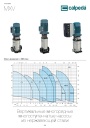
Каталог вертикальных многоступенчатых насосов Calpeda серий MXV, MXVL, MXV EI 2026. pdf, 7.05 Mb
Модели: MXV 25, 32, 40, 50, 65, 80, 100, MXVL 65, 80, MXV EI. Каталог серии: область применения, конструкция и материалы, рабочие характеристики и кривые, габаритные размеры и масса. -

Каталог осевых вентиляторов Shuft серии AXW. pdf, 4.05 Mb
Модели: AXW 4E–8DY с типоразмерами 200–910 в исполнениях S-G, S-T, B-T, B-P. Технический каталог модельного ряда: расшифровка обозначения, характеристики, схемы подключения, аэродинамические графики и габаритные чертежи. -
Каталог продукции Пульсар 2026 - Дренажные насосы. pdf, 3.91 Mb
Каталог продукции Пульсар 2026 - Дренажные насосы
Новое в инструкциях
-

Циркуляционные насосы KSB серии Calio. pdf, 7.92 Mb
Руководство по эксплуатации и монтажу высокоэффективных циркуляционных насосов Calio (оригинальное руководство KSB, док. 1157.821/13): техника безопасности, описание, установка и монтаж, ввод в эксплуатацию, управление и настройка, техобслуживание, неисправности и их устранение, схемы электрических подключений. -
Секционные насосы высокого давления KSB серии Multitec и Multitec-RO. pdf, 8.34 Mb
Модели: Multitec, Multitec-RO, типоразмеры 32–250, исполнения A, B, C, D, E, V. Руководство по эксплуатации и монтажу высоконапорных секционных насосов: техника безопасности, транспортировка и хранение, описание, установка и монтаж, ввод в эксплуатацию, техобслуживание и текущий ремонт, неисправности и их устранение, прилагаемая документация (разрезы, схемы подключения). -
Канальные шумоглушители Shuft серии SCr. pdf, 450.17 Kb
Модели: SCr 100/600 – SCr 500/900 (диаметры 100–500 мм, длина шумоглушащей части 600 и 900 мм). Объединённый эксплуатационный документ (паспорт) на канальные шумоглушители для круглых воздуховодов: назначение и условия эксплуатации, расшифровка обозначения, характеристики и размеры, акустические характеристики, монтаж и эксплуатация, техническое обслуживание, условия гарантии.