

Инструкция на Геотермальные тепловые насосы Nibe серии AP-BW30
Геотермальные тепловые насосы Nibe серии AP-BW30. Руководство по эксплуатации.
Загружаем документ…
Текст инструкции
-
Operating Instructions UK
Heat pumps Regulators End customer We reserve the right to make technical changes. 83052206bUK – Translation of the operating manual NIBETM AP-CS2.0
-
Please read first
Symbols This operating manual provides important information on the handling of the unit. It is an integral part of the product and must be stored so that it is accessible in the immediate vicinity of the unit. It must remain available throughout the entire service life of the unit. It must be…
-
Functioning of the heating and
heat pump regulator The heating and heat pump regulator consists of an operating element and an electronic control. This assumes control of the entire heat pump system, the domestic hot water preparation and the heating system. It automatically recognises the connected heat pump type. The…
-
Safety
Caution. The unit is operationally safe when used for the intended purpose. The construction and design of the unit conform to the state of the art, all relevant DIN/VDE regulations and all relevant safety regulations. Caution. Every person who performs work on the unit must have read and understood…
-
Warranty / Guarantee
For warranty and guarantee conditions, please refer to the purchase documents. Notice. Please contact your dealer concerning warranties and guarantees. Disposal When decommissioning the unit, always comply with applicable laws, directives and standards for the recovery, recycling and disposal of…
-
The control unit
D a r k b a c k g r o u n d (inverted) = Symbol or menu field is activated. Activating and selecting the navigation arrow will take you from one menu level to the next higher or lower one. Some menus require the settings you have made to be saved. You can do so through activation and selection of .…
-
Standard screen “Heating”
Error messages If a fault occurs in the system, a corresponding error message will appear in the screen. Page 25, Error Diagnosis / Error Messages, and Page 27, Acknowledging a Fault The standard screen (= standard menu) serves for rapid information on the selected heating mode of operation. You can…
-
7 Current amb. temp
8 Date and time N Navigation arrow here: Change to the navigation screen Standard screen “Domestic hot water” Symbol for program area “Domestic Hot Water” Indicates that domestic hot water functions are being controlled in the standard screen. 10 Current domestic hot water mode of operation…
-
Quick change of the hot water return flow
temperature Do you require a setting different from the programmed heating curve with a higher/lower hot water return flow temperature? The Navigation Screen The navigation screen provides an overview of the various program areas of the heating and heat pump regulator. Basic display Turn “rotary…
-
Display of further program areas
Special programs display Depending on the type of heat pump connected, the navigation screen can display the following program area symbols: If special programs are active, their symbols will be displayed in the navigation screen. Ventilation program Symbol for program area “Cooling” Customer…
-
The menu “Quick Setting: Heating”
Program area “Information and Quick Setting” Select program area Proceed as follows: In the navigation screen, select the symbol … 1 Symbol for program area “Heating” 2 Menu field “Current mode of operation” Possible displays: Automatic Party (=Continuous daytime operation) Holidays 2 hg (=Second…
-
Activate required mode of operation and select (it is
)… marked with Return to the menu “Information on Settings”. 1 Symbol for program area “Heating” with menu title 2 Automatic Heating circle works according to programmed time programs. 3 Party Continuous heating boost. The settings for night mode are switched off straightaway for the duration of 24…
-
Setting the time programs of the
heating circle You can only select and activate the “Heating time progs” – or – if the mode of operation “Auto(matic)” is active. Same switching times on all days of the week You can specify a maximum of three times periods within 24 hours at which the heating is to be raised.The specified time…
-
Finish entry in switching channel 1…
If the heating is to be raised during a further time period in the daytime, select and activate switching channel 2… Set required time… Different switching times during the week and on weekends You can specify a maximum of three time periods at which the heating circle is to be raised for both day…
-
Different switching times for each day
You can specify a maximum of three time periods for each day at which the heating is to be raised. In the program times screen for Saturday, follow the instructions – in the section “Same switching times on all days of the week”. Page 14 Proceed as follows: In the menu “Heating circle”, select and…
-
Setting the domestic hot water mode of
operation Proceed as follows: In the navigation screen, select the symbol … Setting the domestic hot water temperature Proceed as follows: In the menu “Quick setting domestic hot water” select and activate the menu line title “Setv. – >”… The menu field for the current mode of operation assumes a…
-
The menu “Complete system”
Setting the domestic hot water off-times You can only select and activate the “Off-times” – – if the “Automatic” mode of operation is active. or The “Complete system” menu enables you to specify the mode of operation of your system in one go uniformly for all areas (heating, domestic hot water…
-
You can now choose which mode of operation is to apply
for all areas of your system. At the same time, the mode of operation “Holidays” requires a “Program end” to be programmed. Page 13, “Holidays” mode of operation The mode of operation you select in the menu “Complete system” is automatically assigned to all individual areas of your system. An…
-
Program area
“Domestic hot water” Notice. If a domestic hot water temperature is set which cannot be attained, the heat pump will initially switch to “Error high pressure”. This is followed by a self-resetting fault (If heating is required, this will also be operated). After 2 hours have passed, the domestic hot…
-
Care Programs
Notice. Proceed as follows: In the menu “Domestic hot water settings”, select and activate the menu field “Care programs”… “Continuous op.” means that a thermal disinfection will occur after each domestic hot water preparation. However, the domestic hot water charging always starts at the set…
-
Example 1
Circulation Proceed as follows: In the menu “Care progams”, select the menu field “Circulation”… 5 min 5 min Notice. 5 min 5 min 5 min 5 min 5 min 5 min 5 min 5 min 5 min 5 min on off Example 2: The menu field will only appear if this is correspondingly defined in the program area “Service”.…
-
Setting the mode of operation „Cooling“
Program area “Cooling” Proceed as follows: Caution. Only select the program area “Cooling” if a cooling circle mixer is connected in conjunction with a brine/water heat pump. In the menu “Cooling Settings”, select the menu field “Mode of operation”… Caution. If a cooling circle mixer is connected…
-
Setting the cooling temperature
Proceed as follows: Determining date and time Proceed as follows: In the menu “Cooling Settings”, select and activate the menu field “Temperature + ‑”… In the menu “Service”, select and activate the menu field “Date and Time”… The screen changes to the menu “Temperature + -”. The screen changes to…
-
We reserve the right to make technical changes
83052206bUK – Translation of the operating manual NIBE TM AP-CS2.0 25
-
NIBE TM AP-CS2.0 We reserve the right to make technical changes 83052206bUK – Translation of the operating manual
-
We reserve the right to make technical changes
83052206bUK – Translation of the operating manual NIBE TM AP-CS2.0 27
-
AT
KNV Energietechnik GmbH, Gahberggasse 11, 4861 Schörfling Tel: +43 (0)7662 8963-0 Fax: +43 (0)7662 8963-44 E-mail: mail@knv.at www.knv.at CH NIBE Wärmetechnik AG, Winterthurerstrasse 710, CH-8247 Flurlingen Tel: (52) Fax: (52) E-mail: info@nibe.ch www.nibe.ch CZ Druzstevni zavody Drazice s.r.o…
Схемы, таблицы и рисунки — в просмотре документа выше. Клик по номеру страницы открывает её в просмотре.
Новое в каталогах
-
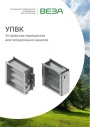
Каталог продукции Веза 2025 - Устройства перекрытия вентиляционных каналов УПВК. pdf, 1012.56 Kb
Каталог устройств перекрытия вентиляционных каналов УПВК: назначение, конструкция, технические характеристики, габаритные размеры, обозначение при заказе. -
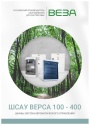
Каталог продукции Веза 2025 - Шкафы систем автоматического управления ШСАУ ВЕРСА 100 - 400. pdf, 16.08 Mb
Каталог шкафов систем автоматического управления ШСАУ ВЕРСА 100–400: назначение, функции, исполнения, схемы, технические характеристики, обозначение при заказе. -
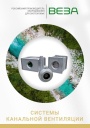
Каталог продукции Веза 2025 - Системы канальной вентиляции. pdf, 8.54 Mb
Каталог оборудования Веза для канальной вентиляции: канальные вентиляторы, нагреватели, охладители, фильтры, шумоглушители, клапаны — технические характеристики и габаритные размеры.
Новое в инструкциях
-
Модульные чиллеры с воздушным охлаждением конденсатора Electrolux серии EMACO. pdf, 10.13 Mb
Модели: EMACO-220.V2, EMACO-440.V2. Инструкция по эксплуатации чиллера с воздушным охлаждением конденсатора (модульного блока системы кондиционирования): меры безопасности, технические и эксплуатационные требования, принцип работы, технические характеристики, подъём блока, схема соединения нескольких модулей, вспомогательный электронагреватель, электрическая схема, регулировка и пуск, техническое обслуживание, поиск и устранение неисправностей, инструкция к пульту управления, коды аварийных сигналов, схема подключения внешнего насоса. -
Компрессорно-конденсаторные блоки Shuft серии SDVC. pdf, 5.57 Mb
Модели: SDVC-V03WDHN1, V05WDHN1, V08WDHN1, V10WDHN1, V14WDHN1, V16WDHN1. Инструкция по эксплуатации и руководство по монтажу наружного блока: эксплуатация, обслуживание, диагностика и коды неисправностей, монтаж, трубопроводы хладагента, электроподключение, конфигурация, пробный пуск, технические характеристики. -
Полупромышленные кассетные сплит-системы Shuft серии SFLC_C. pdf, 11.33 Mb
Модели: SFLC_C/in-18…60HN1_V2, SFLC_C/out-18…60HN1_V2, панели SFLC-PC_V2, SFLC-PS_V2. Руководство по эксплуатации: устройство, проводной пульт, монтаж, электрические схемы подключения, размеры, технические характеристики, устранение неисправностей, протоколы приёмки и тестового запуска, гарантийный талон.