

Инструкция на ИБП для систем отопления CyberPower серии CPS (600-7500ВА)
ИБП для систем отопления CyberPower серии CPS7500PIE/ CPS7500PRO для обеспечения бесперебойной работы котельного и другого инженерного оборудования, систем освещения и видеонаблюдения, различных бытовых приборов. Руководство по эксплуатации.
Загружаем документ…
Текст инструкции
-
EN
User’s Manual CPS7500PIE/CPS7500PRO CyberPower Systems, Inc. Website: www.cpsww.com K01-0000188-01
-
SAFETY AND EMC INSTRUCTIONS
Safety and EMC instruction This manual contains important safety instructions. Please read and follow all instructions carefully during installation and operation of the unit. Read this manual thoroughly before attempting to unpack, install, or operate your Emergency Power System (EPS). CAUTION! To…
-
DO NOT USE FOR MEDICAL OR LIFE SUPPORT EQUIPMENT!
DO NOT use in any circumstance that would affect operation or safety of any life support equipment or with any medical applications or patient care. DO NOT USE WITH OR NEAR AQUARIUMS! To reduce the risk of fire or electric shock, do not use with or near an aquarium. Condensation from the aquarium…
-
INSTALLING YOUR EPS
Installing your EPS UNPACKING Inspect the EPS upon receipt. The box should contain the following: EPS unit x1; Installation Guide x1; User manual x1 AUTOMATIC VOLTAGE REGULATOR(AVR) When utility power is inconsistent, the EPS would increases low voltage or decrease high voltage to safe 220 volts.…
-
BASIC OPERATION
BASIC OPERATION CPS7500PRO CPS7500PIE DESCRIPTION 1. AC Outlets EPS PRO/PIE Series have two general plug-in outlets (UK/Schuko/France) and one terminal outlet for connected equipment which ensures temporary uninterrupted operation of the equipment during a power failure. Max. Output of 1a is 40A…
-
7. Charger Circuit Breaker
Limit input charger current to prevent charger damaged due to overload. 8. Battery Input Wiring Fault LED Battery input wiring fault LED will illuminate and make an audible alarm to indicate the wiring polarity is reversed only when the DC circuit breaker is off. *Note: Please make sure the DC…
-
INSTALLATION GUIDE
Note: The installation must be done by professionals. 1. Remove the cover from the back of the machine. Step 1 2. Make sure the POWER SW, Output Selector, and the BATTERY SW. are turned off. (Step1) For PRO Series, EPS will not function if the Output Selector is Off. Make sure the Selector on Normal…
-
Step 4
Step 5 5. Connect the batteries to the BATTERY INPUT. (Step4) WIRING FAULT LED will illuminate and make an audible alarm to indicate the wiring polarity is reversed only when the DC circuit breaker is off. *Note: Please make sure the DC circuit breaker is off before connecting the battery to the…
-
DEFINITIONS FOR ILLUMINATED LCD
Definitions for illuminated LCD The LCD Display indicates a variety of EPS operational conditions. All descriptions apply when the EPS is plugged into an AC outlet and turned on or when the EPS is on battery. 1. INPUT VOLTAGE Meter: This meter measures the AC voltage that the EPS is receiving from…
-
9. BATTERY CAPACITY Meter: This meter displays the approximate charge level (in 20% increments) of
the EPS's external battery. During a blackout or severe brownout, the EPS will switch to battery power, the ON BAT icon will be illuminated, and the charge level will decrease. 10. LOAD CAPACITY Meter: This meter displays the approximate output load level (in 20% increments) of the EPS's battery…
-
a
Delay Time: The time delays for switching from Battery Mode to Line Mode. The machine will switch from Battery Mode to Line Mode within the preset delay time after the AC power transmission reaches stability. Default 0.0 minutes Choice 0.0, 0.5, 1.0, 1.5, 2.0, 2.5, 3.0, 3.5, 4.0 minutes b. Battery…
-
i
Firmware Version: This function shows the version of the used firmware. j. Last Shutdown Event: This function shows the latest record of error codes, if any. Note: For more information about error codes, please see the table on page 14. Step 3: Press and hold the toggle for 4 seconds. When the icons…
-
CAUTION!
The following statements related to the battery warranty are highly important. Please read and abide by them carefully. Do not set the inappropriate battery capacity. Incorrect charging current will seriously affect the cycle use of the battery. Use LOWEST/LOW current level for setting if the…
-
FAULT WARNING DISPLAY AND ALARM
1. The following table shows each corresponding warning message on the LCD display and the alarm reacts during the machine shutdown: LCD Warning Display (Flashing) Alarm Condition Solution Long Beep Overload Check total load to confirm the rating of EPS. Rapid Beep (30s) Battery missing in Line Mode…
-
The following table shows the information about the error codes on the LCD display AFTER the machine shutdown. The LCD will show the message till the EPS runs out of battery. Error Type Error Code Possible cause Line Mode Error E0 E1 AVR Fail Battery Overcharge AVR broke down Charger broke down…
-
REPLACING BATTERY
Rep CAUTION! Read and follow the IMPORTANT SAFETY INSTRUCTIONS before servicing the battery. Battery service should only be done by qualified professionals. CAUTION! Use only the specified type and number of external batteries. Please see the technical specifications for replacement batteries. Mix…
-
TROUBLESHOOTING
Trouble shooting Problem Possible Cause Circuit breaker has tripped due to an overload. Outlet does not provide power to equipment. The EPS cannot be turned on. Software is inactive to EPS Batteries are discharged. Solution First, turn the EPS off and unplug at least one piece of equipment. Wait 10…
-
TECHNICAL SPECIFICATIONS
Technical specifications Model CPS7500PIE Capacity (VA) Capacity (Watts) Operation Technology AC Input 7500 5250 AVR (Single Boost & Single Buck) 140Vac – 300Vac Input Voltage Range Input Frequency Range CPS7500PRO 50/60 Hz +/- 5 Hz (auto sensing) AC Output Phase Single Phase Output Voltage Nominal…
-
Scope and User Object
The EPS is used in low-voltage TN/IT distribution systems and is intended to be installed in any operator accessible area. All people coming into contact with the EPS shall read above all information (page 1 to page 18). However, in general, the followings are not taken into account. – People with…
-
For more information, contact us at
CyberPower Systems, Inc. Website: www.cpsww.com Entire contents copyright © 2014 CyberPower Systems, Inc. All rights reserved. Reproduction in whole or in part without permission is prohibited. Copyright © 2014 CyberPower Systems, Inc.
Схемы, таблицы и рисунки — в просмотре документа выше. Клик по номеру страницы открывает её в просмотре.
Новое в каталогах
-

Каталог продукции Веза 2026 - Вентиляторы осевые ОСА-ЭВО. pdf, 8.81 Mb
Каталог осевых вентиляторов ОСА-ЭВО: назначение, конструкция и исполнения, аэродинамические и технические характеристики, габаритные размеры, обозначение при заказе. -

Каталог продукции Веза - Клапан противопожарный универсальный КПУ-3. pdf, 990.15 Kb
Каталог универсального противопожарного клапана КПУ-3: назначение, конструкция, приводы, технические характеристики, габаритные размеры, обозначение при заказе. -
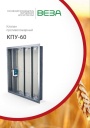
Каталог продукции Веза - Клапан противопожарный КПУ-60. pdf, 839.50 Kb
Каталог противопожарного клапана КПУ-60: назначение, конструкция, приводы, технические характеристики, габаритные размеры, обозначение при заказе.
Новое в инструкциях
-
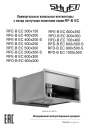
Прямоугольные канальные вентиляторы Shuft серии RF-B EC. pdf, 7.50 Mb
Модели: RFE-B EC 300x150 … 600x350, RFD-B EC 600x300 … 1000x500. Паспорт (объединённый эксплуатационный документ): описание, массогабаритные показатели, монтаж, подключение электропитания, схема электрического соединения, пуск, обслуживание, неисправности, гарантийные обязательства, технические данные. -
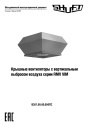
Крышные вентиляторы Shuft серии RMV VIM. pdf, 4.41 Mb
Модели: RMVE 190/300-2 … 450/670-4, RMVD 311/440-4 … 630/950-4 VIM. Паспорт (объединённый эксплуатационный документ): описание, массогабаритные показатели, монтаж, схемы электрических соединений, пуск, обслуживание, гарантийные обязательства, технические данные. -
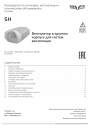
Вентиляторы в круглом корпусе Shuft серии SH. pdf, 646.47 Kb
Модели: SH 160, 200, 250, 315, 400. Руководство по установке, эксплуатации и техническому обслуживанию: технические характеристики, размеры, монтаж, электрические подключения, ввод в эксплуатацию, обслуживание и чистка, устранение неисправностей.