

Инструкция на Шкаф GRAM BAKER 625
Профессиональный шкаф GRAM BAKER 625: назначение, меры безопасности, установка, эксплуатация и обслуживание. Руководство пользователя. Документ на английском языке.
Загружаем документ…
Текст инструкции
-
СКАМ ВАКЕК 625 User manual Grant Rev. 009
-
Burgemeester Stramanweg 101 1101 AA Amsterdam, The Netherlands Made in Denmark, CVR-No. 765041769 Rev. 009 2
-
ENGLISH
Thank you for choosing a quality product from Gram Commercial. This manual will advise you how to install, use and maintain your new product. Before our products leave the factory, they undergo a full function and quality test. Should you nevertheless experience problems with the product, then…
-
Safety information
Important Description of symbols used in this manual. Warning Lacking observation to these instrucions might result in accidents with personal injury. Important If these instructions are not observed, the product might be damaged or destroyed. Be aware that Gram Commercial has taken precautions to…
-
Location
When receiving the product, check the packaging material for damage. If any damage occurs at the packaging material, it should be considered if the product might have been damaged too. If the damage is substantial, please contact your dealer. The transport pallet can be removed by loosening the…
-
To ensure efficient operation, it may not be placed in direct sunlight or against
heat-emitting surfaces. The product is designed to operate in an ambient temperature between +16C and +40°C. Avoid placement of the product in a chlorine/acid-containing environment (swimming bath etc.) due to risk of corrosion. The product and parts of the interior is equipped with a protecting…
-
General description
Front panel Display Gasket Air intake Door Air distribution plate Shelves for storage Air intake with filter Compressor Condenser with air filter Fig. 3 Refrigerant / GWP value Refrigerators BAKER M 625 G Refrigerant R290 Charge kg 0,113 GWP 3 CO2 equivalent t 0,000339 Freezers BAKER F 625 G R290…
-
Climate / temperature class
Products are tested according to the following climate and temperature classes. Information about the product’s climate and temperature class can be found at the name plate (see fig.7). Climate class 25°C / 60 % RH 30°C / 55 % RH 40°C / 40 % RH Temperature class L1 M1 -18°C +5°C Electrical…
-
Fig. 4
Always disconnect the power if interruptions in power supply occur, and when electrical parts are removed/put on, and before cleaning and maintenance of the product. Repairing of electrical/technical parts may only be performed by authorized technicians with proper knowledge of the product. Do not…
-
General use
Do not block vent holes in the front panel. Do not damage the refrigeration system parts. During normal operation, some parts of the refrigeration system in the compressor compartment might reach high temperatures, and could therefore cause burns if touching these components. Do not use electrical…
-
Do not place any products below the buttom shelf support Fig. 6 765041769 Rev. 009 12
-
Operating the product
Control elements: 1 2 + 3 4 - 5 P Primary display Display of temperature Secondary display Display of error codes, alarms, settings etc. Control lamps These lamps indicate, which components/functions are active. Warning lamps These lamps only lights up if something is wrong, or action is required.…
-
Starting up
Plug in the appliance. Push to turn on the appliance. The display shows the software version, and relevant control lamps light up. On cold cabinets, or if the cabinet has been turned off for a short time, and the evaporator temperature is still below the freezing point, a defrost will be…
-
Display code
F1 Description Room sensor error. Error display will continue until the error has been mended. Service assistance is required. F2 Evaporator sensor error. Error display will continue until the error has been mended. Service assistance is required. F3* Condenser sensor 1 error. Error display will…
-
User menu
User menu overview: Menu access P + 1 1. Dry refrigeration DC ON/OFF 2. Rapid thaw 3. Local alarm setting UF LAL ON/OFF LHL °C LHd min. DA On/off DAd BU min. On/off EHL °C ELL °C min. min. K 4. External alarm setting EAL 5. Temperature offset (sensor calibration) 6. Alarm limits CAL EHd ELd CA…
-
1. Setting of dry refrigeration
Note : Applies only to products equipped with dry refrigeration. Press P + 1 Press P Press + , ON flashes in the display. Press P to confirm, ON lights constantly, and the control lamp DRY lights. Press twice to exit the user menu. Dry refrigeration is now active. De-activation of dry…
-
3. Local alarm setting
P + 1 Press Press + , until the secondary display shows LAL. Press P , select menu option LHL, LHd, DA, DAd or BU with the + key. Press P to confirm. Change the value by using the + or Press Press P for more than 3 seconds. - key. to confirm. 3 times to exit the user menu. 3x P + 1 >3…
-
5. Temperature offset
P + 1 Press Press + , until the secondary display shows CAL. Press P , the secondary display shows CA. Change the value by using the + or Press Press P for more than 3 seconds. - key. to confirm. 3 times to exit the user menu. 5x P + 1 >3 sek. + 12. CAL 5 5 P CA P 0 5 2x 5 +/- 1 ESC 5 P…
-
Troubleshooting
Noise: If abnormal noise occurs, request service assistance. Operating sounds from compressor, condenser fan and interior fan are normal. Some models are equipped with a drain pump. If sheet metal parts, front panels or panels in front of the compressor compartment are making noise, these…
-
Too high energy consumption
Ambient temperature too high. The door is opened too often and/or open for too long. The door is left open. Damaged door gasket. Temperature setpoint too low. Product is too packed with foods - air inlet/outlet blocked. Condenser air filter is clogged. Warm or hot foods are…
-
Defrost water
Defrost water is led through a tube in the insulation, to a tray in the compressor compartment. A re-evaporation pipe from the refrigeration system, placed in the tray, evaporates the defrost water. It is recommended to clean the tray and corresponding parts at least once a year. Remember to…
-
Door closing mechanism
The door is equipped with a self-closing system. If the door is opened less than 90, it will close by itself. If the door is opened more than 90, it will stay open. Power failure In the event of a power failure, the control remembers the temperature setting and restarts the product when power is…
-
Door gaskets
This chapter deals with the importance of a well-functioning door gasket. Gaskets are an important part of a refrigerator/freezer. Gaskets with reduced functionality, reduces the tightness of the cabinet. Reduced tightness might cause increased humidity, internal icing, an iced up evaporator…
-
Service
The refrigerating system and the hermetically sealed compressor require no maintenance - they merely must be kept clean. If refrigeration fails, first investigate whether the unit has been unintentionally disconnected or switched off at the socket, or whether a fuse has blown. If it is not possible…
-
Disposal
Electrical and electronic equipment (EEE) contains materials, components and substances that can be dangerous and harmful to human health and the environment if the waste (WEEE) is not disposed of properly. Products that are labelled with a “crossed-out wheelie bin” is considered electric and…
-
iagram
d iring WwW ddd Aoidsig cz] цоум$ 1000 resins за Cag |= soos вико [Rg = God Ajddns лэмод yoay 504430 3094 ‘дер 20; Кол цохия 4/W fluo yndul A 0 27 Rev. 009 765041769
-
Piping diagram
Схемы, таблицы и рисунки — в просмотре документа выше. Клик по номеру страницы открывает её в просмотре.
Новое в каталогах
-
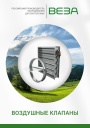
Каталог продукции Веза 2025 - Воздушные клапаны. pdf, 6.71 Mb
Каталог воздушных клапанов Веза: номенклатура, клапаны отсечные и регулирующие РЕГУЛЯР, РЕГУЛЯР-Л, РЕГЛАН, КЕДР и другие — конструкция, исполнения, приводы, технические характеристики, габаритные размеры. -
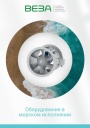
Каталог продукции Веза 2026 - Оборудование в морском исполнении. pdf, 7.62 Mb
Каталог вентиляционного и холодильного оборудования Веза в морском исполнении: радиальные и осевые вентиляторы, кондиционеры КОМПАС-БОВ, компрессорно-конденсаторные агрегаты КОМПАС-ККБ, шкафы управления КОМПАС-ШСАУ — технические характеристики и размеры. -
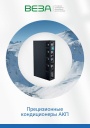
Каталог продукции Веза 2026 - Прецизионные кондиционеры АКП. pdf, 4.90 Mb
Каталог прецизионных кондиционеров АКП: назначение, исполнения, конструкция, технические характеристики, габаритные размеры, обозначение при заказе.
Новое в инструкциях
-
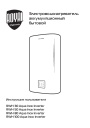
Электрические накопительные водонагреватели Royal Thermo серии Aqua Inox Inverter. pdf, 903.59 Kb
Модели: RWH 30, 50, 80, 100 Aqua Inox Inverter. Инструкция пользователя: устройство, панель управления, управление с мобильного приложения, монтаж и подключение, эксплуатация, устранение неполадок, технические характеристики, габаритные размеры, гарантийный талон. -
Электрические конвекторы Royal Thermo серии Capella RCHC/M. pdf, 5.01 Mb
Модели: RCHC/M-500, 502, 1000, 1002, 1500, 1502, 2000, 2002. Инструкция пользователя: устройство конвектора, управление прибором, уход и обслуживание, монтаж, хранение и транспортирование, технические характеристики, гарантийный талон. -
Электрические конвекторы Royal Thermo серии Capella RCHC/E. pdf, 5.01 Mb
Модели: RCHC/E-500, 502, 1000, 1002, 1500, 1502, 2000, 2002. Инструкция пользователя: устройство конвектора, управление прибором, уход и обслуживание, монтаж, хранение и транспортирование, технические характеристики, гарантийный талон.